
How to send a drawing
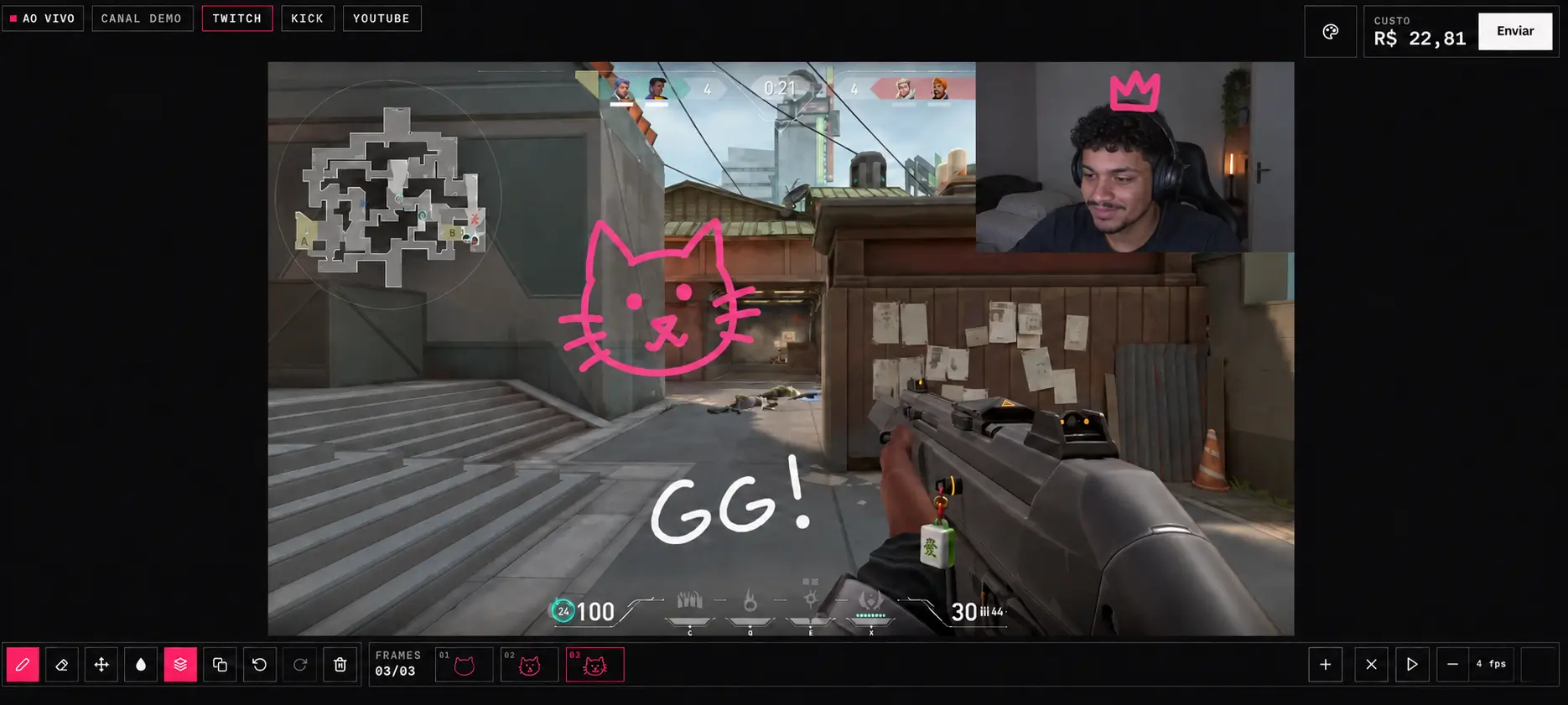
1.
Open the streamer page on Drawgg. The address is drawgg.com/ followed by the name chosen by the streamer. It is also in the QR code the streamer can show on stream.
2.
Draw on the board. You can use brush, eraser, colors and animation frames.
3.
Use Move and resize to place the drawing. The position on the board is the position on the stream screen.
4.
Check the cost. It changes with the size of the drawing.
5.
Click Send. If you are not signed in, the site asks you to sign in with Twitch.
6.
Pay the PIX. The steps are in PIX payment.
How the price is calculated
The price depends on the size of the drawing and on the time it stays on screen. The streamer sets the price per pixel and the price per second.
Price = drawing area × price per pixel + seconds on screen × price per second.
The area is the rectangle around the drawing, measured on the stream screen (1920x1080). A bigger drawing costs more. Each drawing stays on screen for 30 seconds.
When sending does not work
The streamer has not started the live on Drawgg. The board shows offline.
The streamer has not set up a channel yet.
The board is empty.
The automatic analysis refused the drawing. See Why was my drawing refused.
Did not find the answer?
Open a ticket